API Alert
Overview
The API Alert is a type of alert rule in Skylogs that maintains a state of firing or resolved for a specific name and instance. You can use this type of alert to directly fire and resolve an alert from your codebase. It's more common to set up alerting in front of your monitoring stack and use the API Alert only in exceptional cases.
You'll need:
- An API token (issued when creating alert rules)
- Your alert rules set up in the dashboard
- Endpoint configurations (SMS, Email, Telegram, Teams, etc.)
🔧 Creating an API Alert Rule
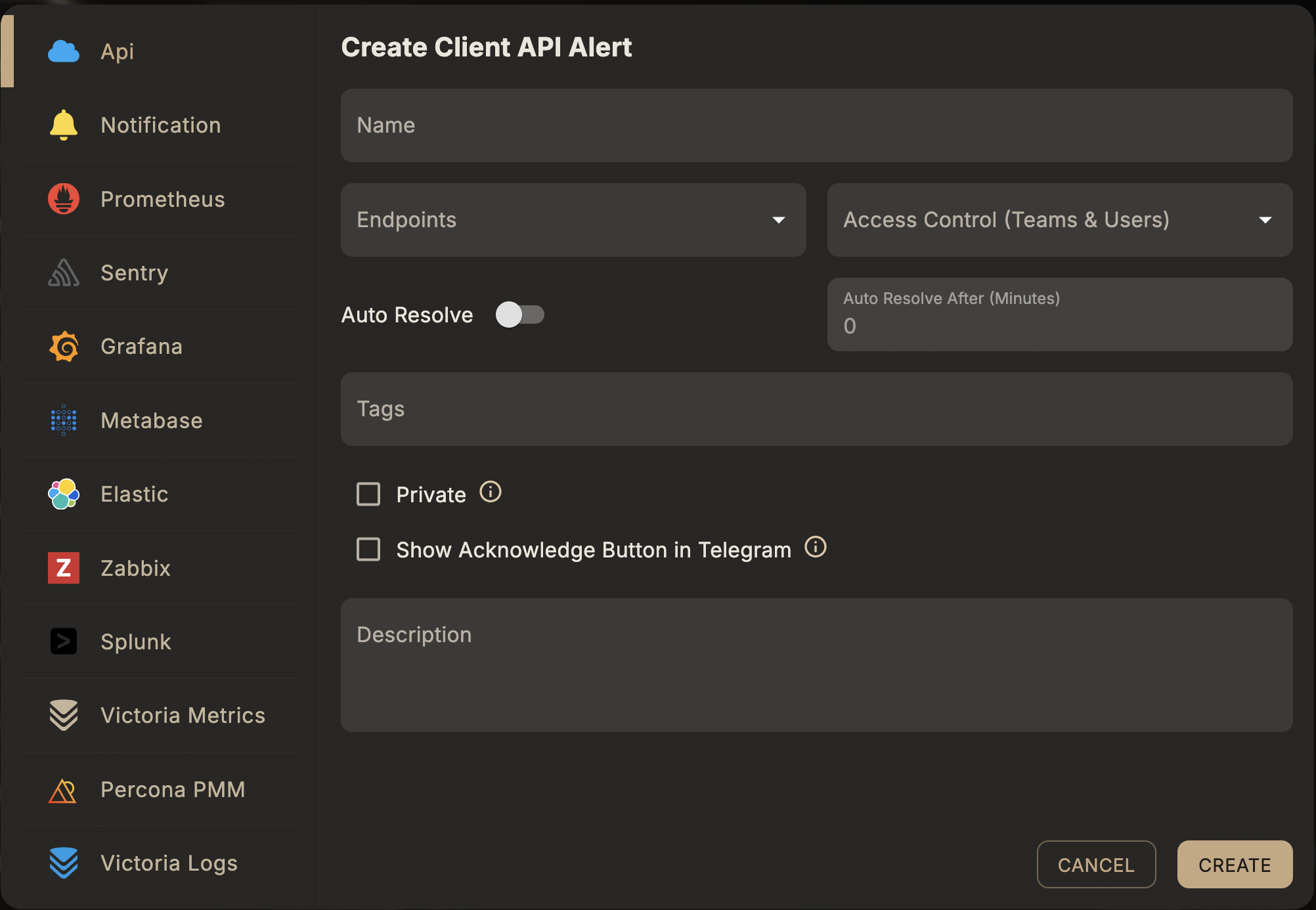
To begin, create an Alert Rule via the Skylogs web dashboard. Once created, you'll receive an API token which authorizes alert API usage.
🔔 Firing an Alert
Fire an alert by sending a POST request to the following endpoint:
POST https://mydomain.com/api/v1/fire-alert
Headers
Authorization: Bearer <API_TOKEN>
Content-Type: application/json
Body
{
  "instance": "user-instance",
  "description": "an optional string"
}
instance(required): A unique identifier for the alert instance.description(optional): Any additional context for the alert.
📝 Each fired instance is handled independently. Fire as many as you need, each with a unique
instanceID.
✅ Resolving an Alert
Stop or resolve an active alert with:
POST https://mydomain.com/api/v1/stop-alert
Headers
Authorization: Bearer <API_TOKEN>
Content-Type: application/json
Body
{
  "instance": "user-instance",
  "description": "an optional string"
}
- Use the same
instancevalue you used to fire the alert.
⚠️ Each instance must be resolved separately.
📡 Endpoints for Notifications
You can set up various notification endpoints to be triggered when alerts fire or resolve. Supported types:
- 📞 Call
- 📬 SMS
- 📢 Telegram
- 👥 Microsoft Teams
These can be configured in the dashboard and attached to specific alerts.
👥 Shared Access & Customization
Skylogs encourages collaboration. You can:
- Add other users to an alert.
- Allow them to attach their own endpoints to receive notifications.
- Maintain custom responsibility over alert behavior per user.
🔐 Each user needs appropriate permissions to modify or observe alerts.
🧪 Example Use Case
Let’s say you manage a Kubernetes cluster:
-
Create an alert rule called
api-server-down. -
Fire an alert if the API server is unreachable.
-
Attach:
- Your email and SMS endpoints
- Your teammate adds a Telegram endpoint
-
Once resolved, call the stop alert endpoint.
📘 Best Practices
- Use meaningful
instancenames to trace issues easily. - Stop every alert to maintain clean logs.
- Share alerts responsibly using Skylogs’ user-level control.
Built with ❤️ by the Skylogs Team