PMM Alert
Overview
As with Grafana alerts, you can connect PMM alerts to Skylogs and manage them in a centralized panel.
A PMM alert rule matches alerts coming from a connected Percona Monitoring and Management (PMM) instance. PMM's alerting is Alertmanager-compatible and is ingested through the same receiver as Prometheus & Alertmanager — see PMM integration.
Before you start
- Configure PMM's alert settings to use the Skylogs Alertmanager receiver URL — see PMM integration.
- Have at least one notification endpoint ready to attach.
Steps
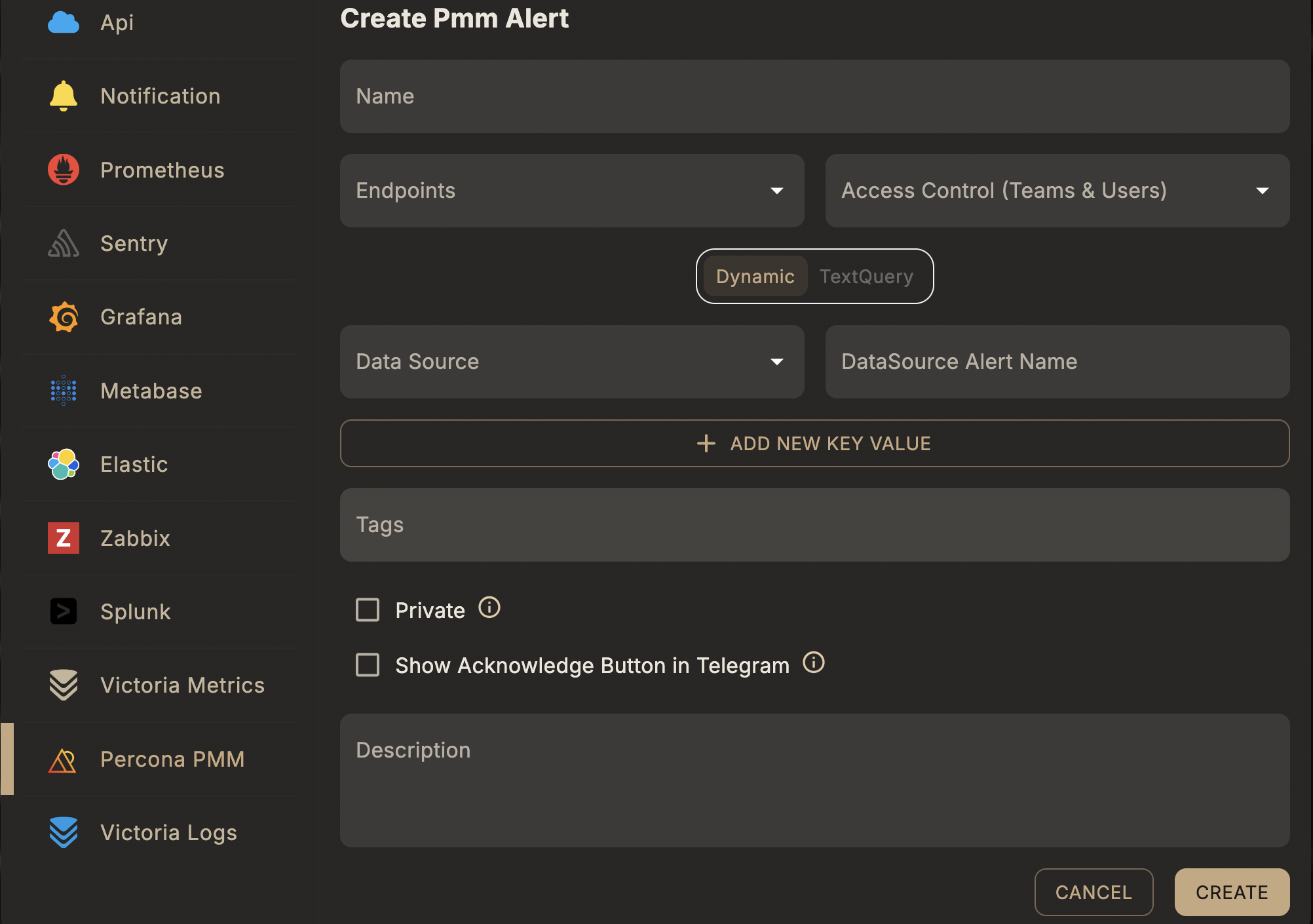
- Select the Alert Type → PMM.
- Choose a Datasource — the connected PMM instance this rule should match against.
- Choose a Query Type — Dynamic or Text Query (see below).
- Enter a Unique Alert Name, assign Endpoints, and optionally add Tags.
Query types
Dynamic
Matches by the alert name as it already exists in PMM's own alert rules — pick it from the connected data source rather than writing a query. Best when your alerting rules are already defined and maintained in PMM.
| Field | Type | Description |
|---|---|---|
dataSourceIds | array of string | PMM data source id(s) to match against |
dataSourceAlertName | string | Alert name as defined in PMM |
extraField | array of object | Optional label key/value filters to narrow the match |
Text query
Matches using a raw query evaluated by Skylogs' own checker instead of relying on an existing PMM rule.
| Field | Type | Description |
|---|---|---|
queryText | string | Query expression string |
queryObject | object | Structured query payload used by the checker |
Example request
Dynamic:
{
  "type": "pmm",
  "queryType": "dynamic",
  "name": "Database replication lag",
  "description": "Fires when replication lag exceeds threshold",
  "dataSourceIds": ["<pmm-datasource-id>"],
  "dataSourceAlertName": "MySQLReplicationLag",
  "endpointIds": ["<endpoint-id>"],
  "tags": ["production", "database"]
}
Text query:
{
  "type": "pmm",
  "queryType": "textQuery",
  "name": "Database replication lag",
  "description": "Fires when replication lag exceeds threshold",
  "queryText": "<query expression>",
  "endpointIds": ["<endpoint-id>"],
  "tags": ["production", "database"]
}
Both are sent to POST /api/v1/alert-rule — see the full field reference in API reference → Alert rules.
Notes
- Database-specific labels (service, node, cluster) are preserved as tags for routing — useful for giving each database team ownership of its own alerts.
- Use Dynamic when you want PMM's own alert rules to remain the source of truth; use Text query when you want Skylogs to evaluate the condition itself.